
Planning & review

Time blocking: how to plan your week in blocks (without hating it)

Time blocking means giving your tasks a specific time, not just a list. Here is how to do it so it survives a real week, and why blocking your whole life beats blocking only work.

Aleem O'BalogunBy Aleem O'BalogunUpdated 6 min read

The short answer

Time blocking is planning your day or week by giving tasks a specific slot on the calendar, rather than working from an open to-do list. It works because a task with a time is far more likely to happen than a task on a list. The trick is to block realistically, leave buffer, and protect the blocks when the day pushes back.

Steps

  1. 1

    Start from what is already fixed

    Put your real commitments on the calendar first: meetings, shifts, school runs. Your blocks go in the gaps that are genuinely free, not on top of them.

  2. 2

    Give your priorities a specific slot

    Take the few things that matter this week and place each in a real block. A task with a time beats a task on a list.

  3. 3

    Match blocks to your energy

    Put demanding work where your energy is reliably higher and lighter tasks where it dips. A block that fights your energy rarely survives.

  4. 4

    Leave buffer and protect the blocks

    Do not pack every minute; leave gaps for overruns and the unexpected. When the day pushes back, defend the blocks rather than deleting them.

What time blocking is

Time blocking is a simple idea: instead of working from an open to-do list and hoping you get to things, you give each task a specific block of time on your calendar. The morning is not just 'do some work', it is 'nine to eleven, draft the report'. The task stops being a vague intention and becomes an appointment with yourself.

The reason it helps is that a list has no relationship with time. It will happily hold forty things, none of which have a moment to actually happen. A calendar is honest: there are only so many hours, and blocking forces you to face that. You plan the week you actually have, not the one you wish you had.
How to time block so it survives a real week

Most people try time blocking, pack every minute of an idealised day, watch it collapse by Tuesday, and conclude it does not work for them. It does; the version that fails is the unrealistic one. A block schedule that survives contact with reality follows a few rules.

  • Fixed first: place real commitments, then block the genuine gaps
  • Realistic estimates: things take longer than you hope, so add buffer
  • Energy-aware: demanding work where your focus is high, admin where it dips
  • Protect, do not delete: when the day slips, defend the block or move it, do not just drop it

Block your whole life, not just work

Time blocking is usually sold as a work-productivity trick, and that is a shame, because the parts of life most likely to get squeezed are the ones without a block. Training, a call to a friend, the evening you actually wanted: left as intentions, they lose every time to whatever is urgent. Given a block, they have a fighting chance.

Blocking the whole of your week, not just the working day, is what turns time blocking from a productivity tactic into a way of protecting a life. The run gets a slot with the same seriousness as the meeting. That is also where blocking gets hard by hand, because the areas start competing for the same hours, which is exactly the problem a whole-life planner is built to solve.

A blocked week

Every block has a time

An example week with the fixed things placed first, then a few blocks put into the gaps that are genuinely free. A task with a time is far more likely to happen than one sitting on a list.

  • Monday7:30Deep work: report9:00Work18:00Run
  • Tuesday9:00Work12:30Money hour
  • Wednesday7:30Deep work: report9:00Work19:00Reading
  • Thursday9:00Work17:30Call a friend
  • Friday9:00Work15:00Weekly review19:30Dinner out
  • Saturday8:00Long run
  • SundayAll dayRest

Grey blocks are fixed. Coloured blocks are what you chose to protect, one from each part of life you did not want the week to swallow.

Where asambl fits

asambl is a private weekly planner for macOS and Windows that does the blocking for you, then hands you the decision. You set your priorities and asambl drafts a blocked week across your chosen life areas, placing demanding work where your energy is higher and leaving room around your fixed commitments, so you get a realistic block schedule without arranging every slot by hand. You review, adjust, and approve; nothing lands until you do.

It also reconciles the areas so they stop colliding for the same hours, and offers a Plan A, B, C view so you can block by the energy you actually have on the day. Your plans stay on your own computer as portable files, and the drafting can be switched off if you would rather block by hand.

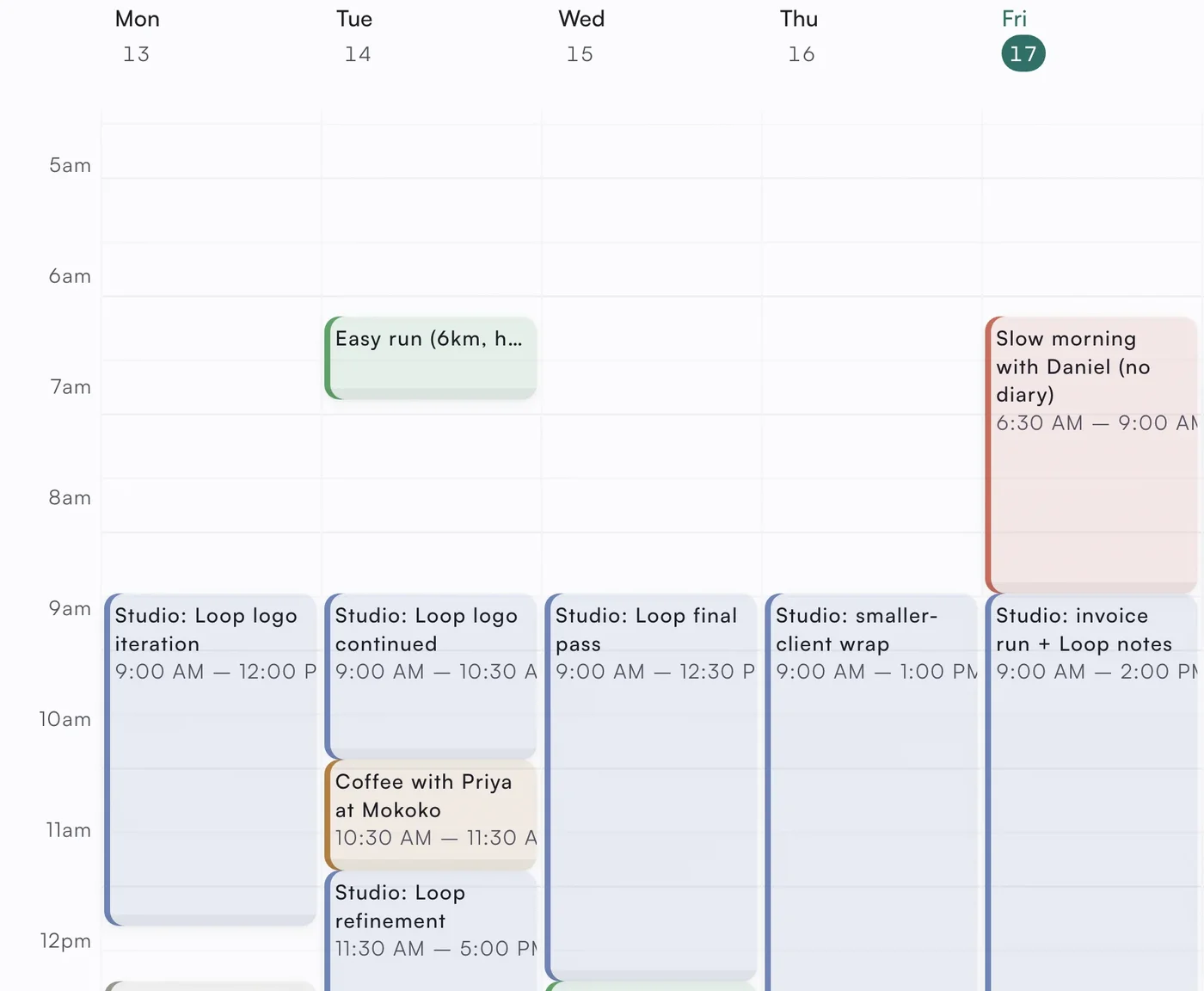
A week in the asambl calendar with each task given a time: studio work blocks through the mornings, an easy run and a coffee between them, and Friday's slow morning protected.
A real week, blocked across work and life

The fastest way to judge the method is to watch it run.

See it through a real week

Plan the week before it starts

A short prompt every Sunday to help you decide what next week is actually for, plus the occasional essay. No product pitch, unsubscribe any time.